Manual Scofflaw
The Manual Scofflaw utility is used to directly add entries to the Scoff list. Note that adding a Vehicle or Permit to the Scoff list using this utility does not add them to the TickeTrak database.
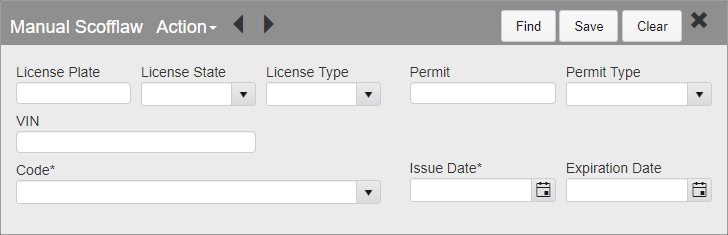
Manual Scofflaw
Enter Vehicle information using the License Plate or the VIN field and the License State and License Type fields, or enter Permit information using the Permit and Permit Type fields.
Select the Scofflaw Code that the entry will be added to.
Enter the Issue Date of the Scoff. If the Scoff will expire in the future, enter the Expiration Date.
Once all of the information has been entered, click Save.
Entries that have been previously added to Manual Scofflaw can be edited or removed by searching for them. Any of the available fields can be used to search for Manual Scofflaw entries. Click Find to perform the search.
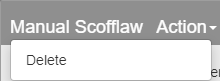
Manual Scofflaw - Delete Action
To delete an entry, open the Action menu and click Delete. You will be asked to confirm that you wish to delete the entry.
Was this article helpful?
That’s Great!
Thank you for your feedback
Sorry! We couldn't be helpful
Thank you for your feedback
Feedback sent
We appreciate your effort and will try to fix the article