Appeal
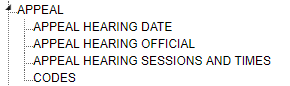
Appeal TreeView
General Settings
Multiple levels of Appeal can be entered. Each level has its own settings.
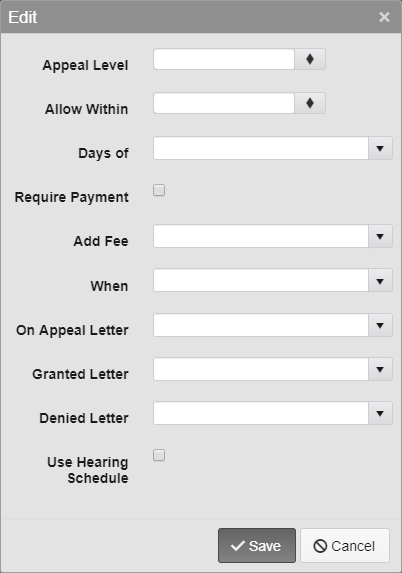
Appeal Settings Menu
Appeal Level - Enter the Appeal Level that is being set up. The appellants must be denied a Level 1 Appeal before they can use the Level 2 Appeal, the Level 2 must be denied before the Level 3, etc.
Allow Within - Select the maximum number of days after the Issue Date or Notice 1 date that the Appeal will be allowed.
Note: When entering an appeal in the TickeTrak 10 application, a user with admin rights can overwrite write the date limits. This cannot be done via the customer Web Portal.
Days of - Select the Issue Date of the Ticket or the Notice 1 date.
Require Payment - If this is checked, then the Ticket must be paid prior to making an Appeal.
Add Fee - A Fee can be automatically added to the ticket.
Note: The Fee must be set up in Fee Code in System Settings before it can be selected here.
When - Select when the Fee will be added, On Appeal or On Appeal Denial.
Note: Fee template letters must be set up in Template in System Settings before they can be selected here.
On Appeal Letter - Select the default letter. This is the letter the offender will receive when they first appeal the Ticket.
Granted Letter - Select the default letter. This is the letter the offender will receive if their Appeal is granted.
Denied Letter - Select the default letter. This is the letter the offender will receive if their Appeal is denied.
Use Hearing Schedule - This is used to enter a specific Date, Time, and Official for each Ticket.
Note: The Hearing Schedule must be set up in Appeal in System Settings before it can be used here.
Appeal Hearing Date
The Hearing Official and Hearing Session and Times must be entered prior to the Appeal Hearing Date.
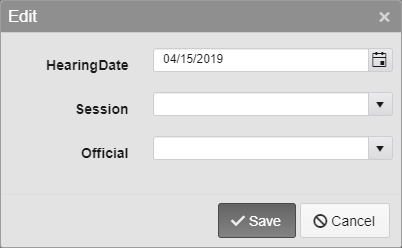
Hearing Date Options
Select the Hearing Date, then select the Session and Official.
Appeal Hearing Official
Enter the Name, Title, and Address information for the Hearing Official.

Hearing Official Options
Appeal Hearing Session and Times
Enter the Hearing Sessions Code and Description.
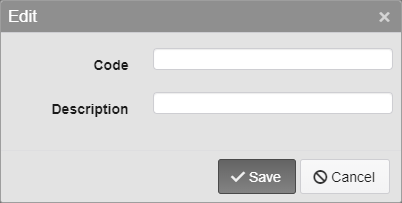
Hearing Session Options
After the Code has been entered, select it in the list by clicking it. Times may be added for each session by clicking Add.
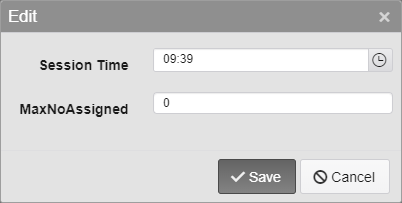
Hearing Session Time Options
Codes
Both On Appeal codes and Judgement codes are added here.
Appeal Code - Select a Code and Description and select which Code will be used online on the Web Portal. Codes have a 3 character limit.
Judgement Codes - Select a Code and Description. Codes have a 3 character limit.

Appeal and Judgement Code Options
Was this article helpful?
That’s Great!
Thank you for your feedback
Sorry! We couldn't be helpful
Thank you for your feedback
Feedback sent
We appreciate your effort and will try to fix the article