DMV
Note: DMV is an optional module.
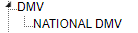
DMV TreeView
National DMV
Enter the criteria settings for National DMV Inquiries.

National DMV Settings
Click Add to add a new Inquiry Criteria. Click the edit button (pencil icon) to edit an existing Inquiry Criteria. Click the X button to delete an Inquiry Criteria.
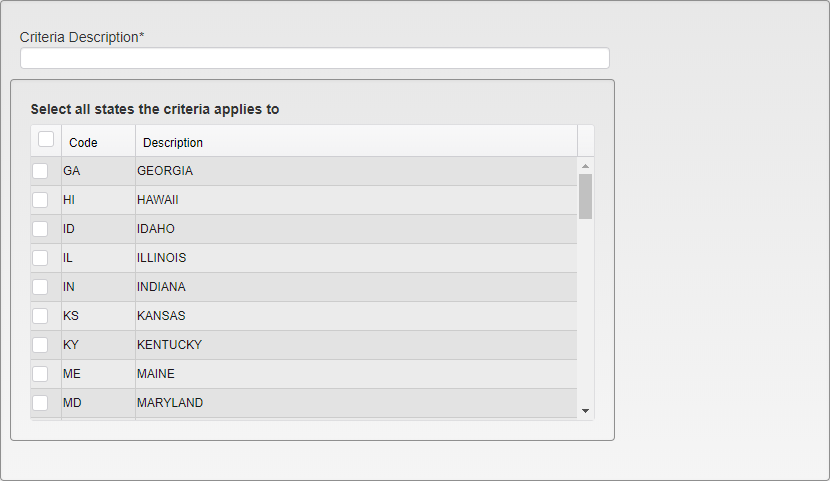
Criteria Setup
Criteria Description - Enter a description for the Inquiry Criteria.
Select States - Select the states that the Inquiry Criteria will apply to. Only Vehicles with license plates from the selected states will be listed when the Inquiry is run.
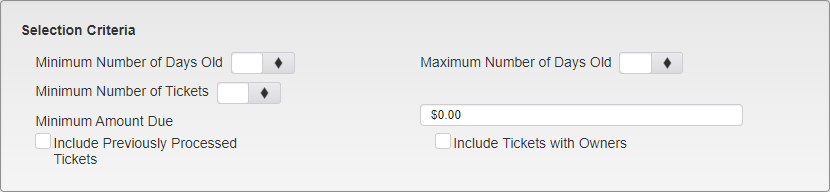
Selection Criteria
Minimum Number of Days Old - Enter the minimum number of days old a Ticket can be for its Vehicle information to be collected by the Inquiry.
Maximum Number of Days Old - Enter the maximum number of days old a Ticket can be for its Vehicle information to be collected by the Inquiry.
Minimum Number of Tickets - Enter the minimum number of Tickets associated with a Vehicle for the Vehicle information to be collected by the Inquiry.
Minimum Amount Due - Enter the minimum total amount due on all of the Tickets associated with a Vehicle for the Vehicle information to be collected by the Inquiry.
Include Previously Processed Tickets - Check this box to include Tickets that have previously been picked up by an Inquiry as part of the results.
Include Tickets with Owners - Check this box to include Tickets with an associated Person as part of the results.
Was this article helpful?
That’s Great!
Thank you for your feedback
Sorry! We couldn't be helpful
Thank you for your feedback
Feedback sent
We appreciate your effort and will try to fix the article