Export
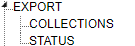
Export TreeView
Create an export status to be used when exporting records using the Export module and set up the Collection Export when using the optional Collection module.
Collections
Note: Collections Export is an optional module.
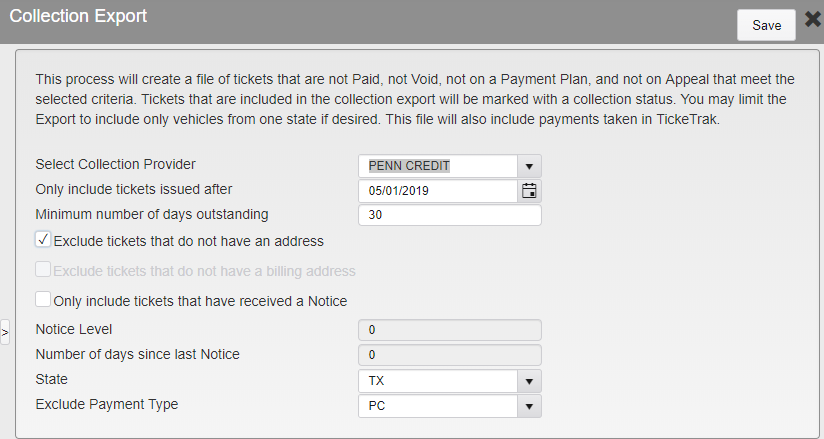
Collection Export Options
Collection Provider - Select either Generic or PennCredit. (Purchase Option)
Only include tickets issued after - Only include Tickets issued after this date.
Minimum number of days outstanding - Minimum days a Ticket must be unpaid to be included.
Exclude tickets that do not have an address - Records with any active address will be included.
Exclude tickets that do not have a billing address - Records must have an active billing address to be included.
Only include tickets that have received a Notice - Tickets must have had a notice sent about them to be included.
Notice Level - If notice is required, which level is needed.
Number of days since last Notice - If notice is required, select the number of days since the notice was sent.
State - Select the state to include in the export. Leave blank to include all.
Exclude Payment Type - Select a Payment Type to exclude when exporting payments to the collection agency. This is usually the payment type used to import the payments from the collection agency. They already have this information.
Status
Enter a Code and Description for the export status that can be added when the records are exported. Code has a 6 character limit.
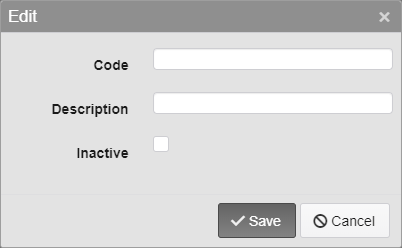
Export Code Options
Was this article helpful?
That’s Great!
Thank you for your feedback
Sorry! We couldn't be helpful
Thank you for your feedback
Feedback sent
We appreciate your effort and will try to fix the article