Manage Duplicates
People Merge
The People Merge utility is used when there are duplicate records of the same Person in the system. This allows you to review both records side by side so that they can be merged into one and reduce the number of duplicates in the system.
Search for the Person Name or Account ID you are saving.
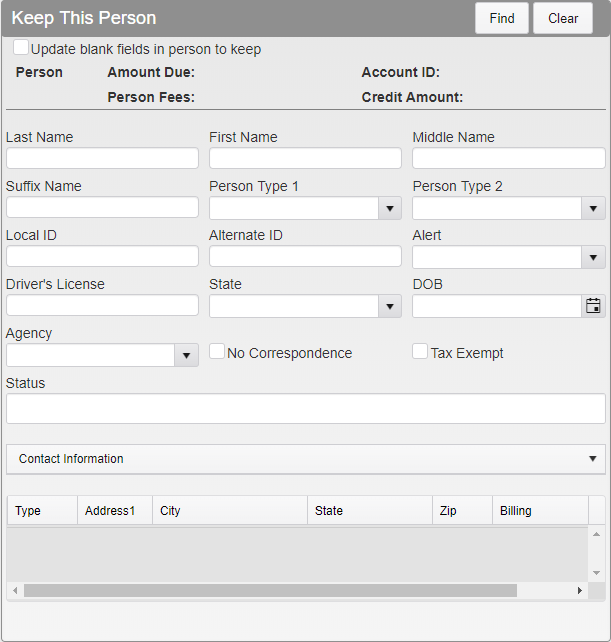
People Merge Menu
Search for and select the Person Name or Account ID you are merging.
Verify that the names are correct. Checking Update blank fields will fill in blank fields in the entry being kept with information from the entry being merged. Click Merge.
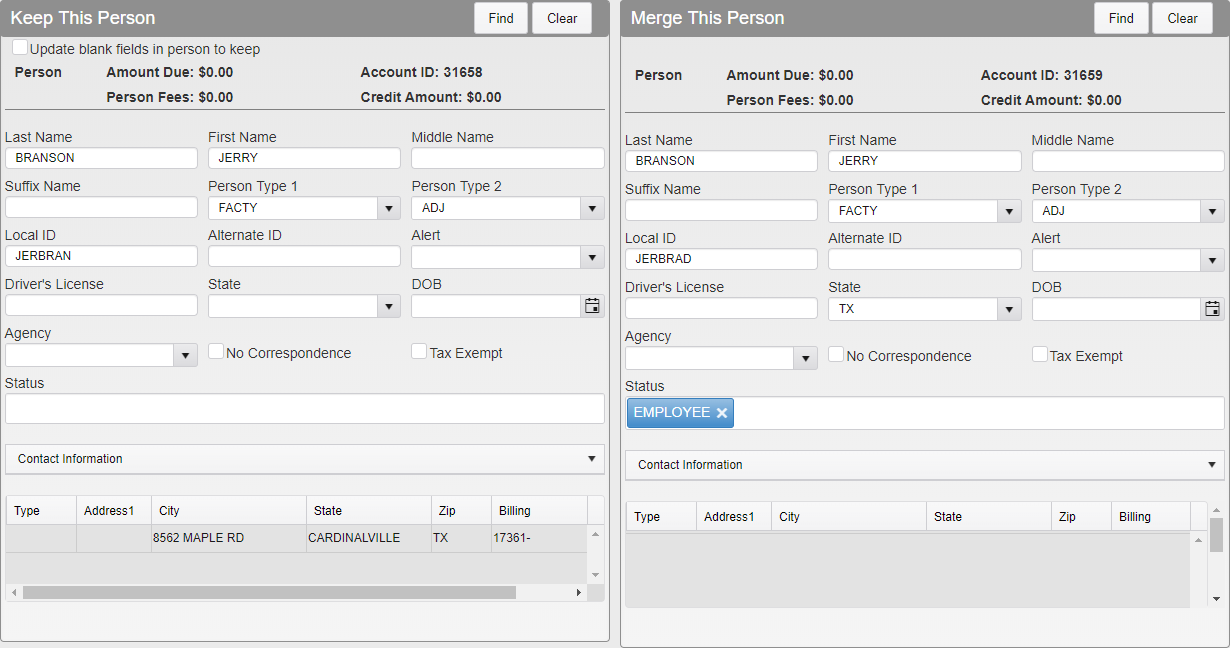
People Merge Full Menu
The Person module will open, showing you what the merged record will include.
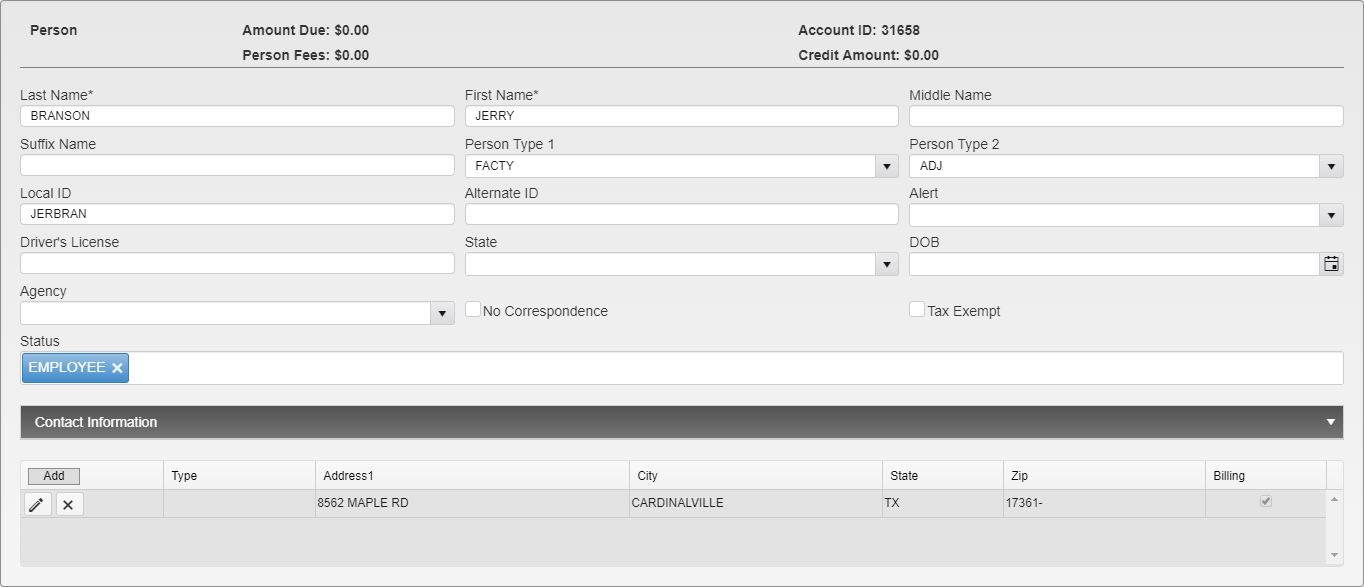
Person Module in People Merge
Make any changes needed. Click on the X button to delete an address. Click Save to finalize and save the record.

Address Deletion Sample
Note: Any Vehicles or Addresses linked to the merged Person will automatically link to the newly merged Person account, unless they were edited during the merge.
Vehicle Merge
The Vehicle Merge utility is used when there are duplicate records of the same Vehicle in the system. This allows you to review both records side by side so that they can be merged into one and reduce the number of duplicates in the system.
Search for the License Plate you are saving.
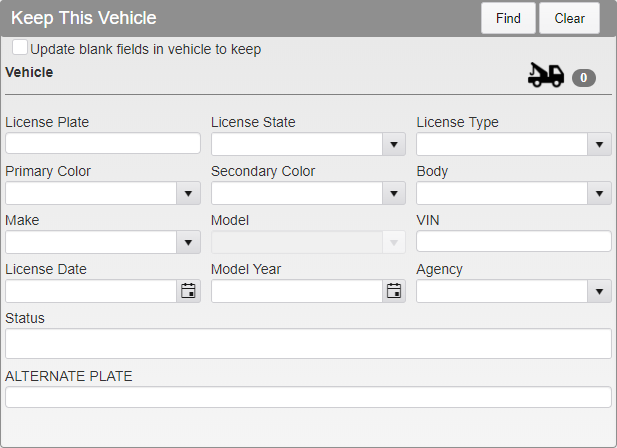
Vehicle Merge Menu
Search for and select the License Plate you are merging.
Verify that the plates are correct. Checking Update blank fields will fill in blank fields in the entry being kept with information from the entry being merged. Click Merge.
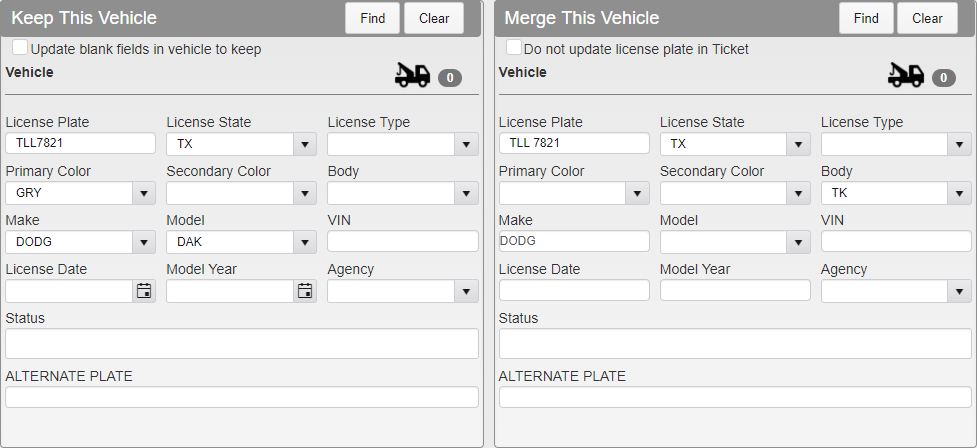
Vehicle Merge Full Menu
The Vehicle module will open, showing you what the merged record will include.
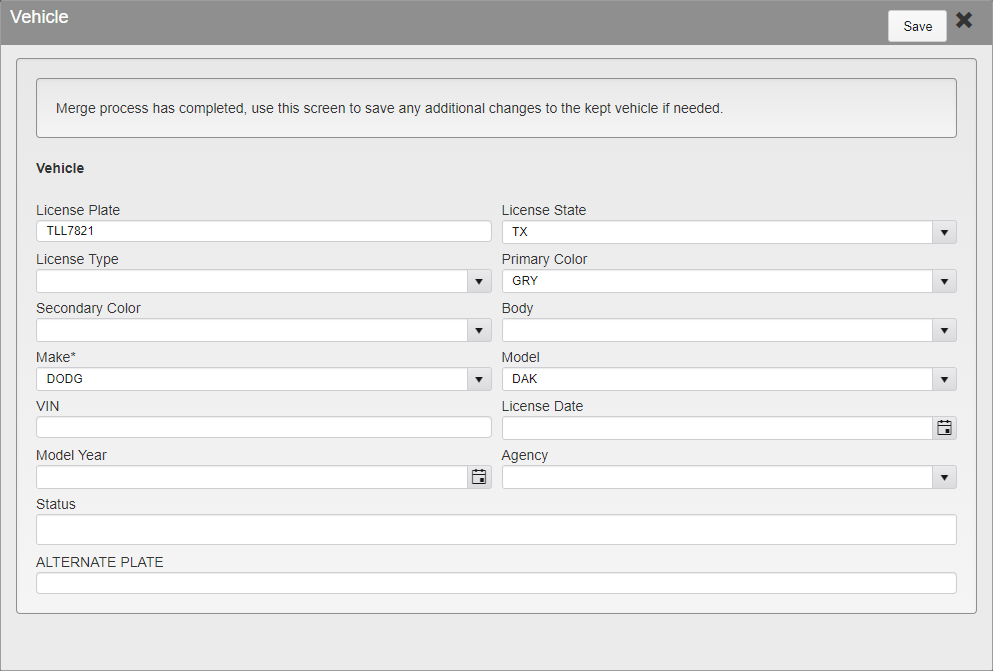
Vehicle Module in Vehicle Merge
Make any additional changes as needed. Click Save to finalize and save the record.
Was this article helpful?
That’s Great!
Thank you for your feedback
Sorry! We couldn't be helpful
Thank you for your feedback
Feedback sent
We appreciate your effort and will try to fix the article